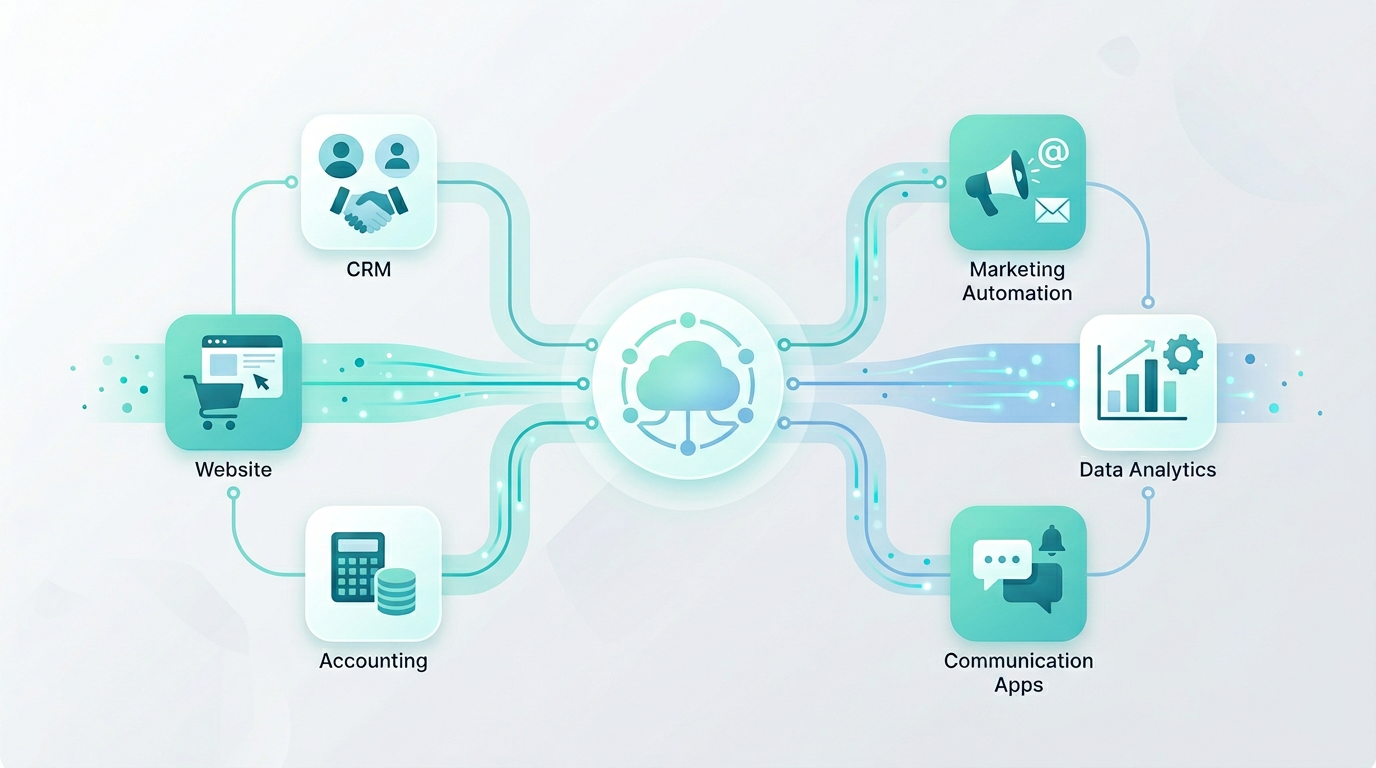
The phrase “our systems do not talk to each other” is one of the most common operational complaints we hear from growing businesses. Behind it is almost always the same underlying situation: multiple software platforms acquired at different times to solve different problems, each one doing its own job adequately, but none of them sharing information with the others.
The consequences are well-known: manual data entry, duplicated records, out-of-date information in at least one system at any given time, and staff spending portions of their day acting as human connectors between platforms that should be connected automatically. API integration for business is the technical discipline of connecting these systems so data flows between them automatically, without manual intervention.
This article explains what APIs are, why many business systems still require manual bridging, what integration looks like in practice, and how to plan a successful integration project.
What is an API and why does it matter for business?
API stands for Application Programming Interface. In practical terms, an API is a defined way for one software system to communicate with another. It is a set of rules and protocols that specify: what requests can be made, in what format, what data will be returned, and how errors are handled.
Think of an API as a standardised socket. Different devices can plug into the same socket because they all follow the same physical and electrical standard. APIs provide the equivalent standard for software: a well-designed API allows any system that can make web requests to exchange data with the platform that provides it.
For businesses, APIs are significant because they are how modern software platforms expose their data and functionality to external systems. If your CRM, ecommerce platform, accounting software, and booking system all provide APIs, it is possible, in principle, to connect them so that data flows between them automatically whenever a defined event occurs.
The quality and completeness of those APIs varies considerably between platforms, which is one of the reasons integration is sometimes straightforward and sometimes complex. The other major variable is the design of the integration itself: connecting systems well requires thought about data mapping, error handling, conflict resolution, and architecture, not just the ability to make API calls.
Why your business systems do not talk to each other
There are several reasons why systems that could theoretically communicate via APIs still require manual bridging in practice. Understanding these helps frame what an integration project needs to address.
- Systems were acquired independently: When each platform was chosen to solve a specific problem, integration with other systems was rarely the primary evaluation criterion. The result is a portfolio of tools that each do their job but were never designed to work as a unified system.
- Integration requires ongoing maintenance: Connecting systems is not a one-time task. APIs change, platforms update, data structures evolve. An integration built against a specific API version may break when the vendor releases an update. Integration maintenance is a real ongoing cost.
- Data models are incompatible: Even when two platforms share the same concept (a customer, a product, an order), they may structure and name the data differently. Mapping data accurately between different systems requires careful analysis and, often, transformation logic.
- No internal technical resource: Integration requires technical skills that many businesses do not have in-house. Without someone who can work with APIs and understand data architecture, integration remains a future aspiration rather than a current reality.
- The problem has not been formally quantified: Manual workarounds become normalised. The cost of not integrating is distributed across many people and processes, making it invisible on any individual P&L line. Once you aggregate it, the case for integration is usually compelling.
Common API integration use cases for businesses
API integration for business covers an enormous range of applications. These are the use cases we encounter most frequently.
CRM and website integration
When a prospective customer submits a form on your website, their details are automatically created as a contact in your CRM, assigned to the right salesperson, tagged with the lead source, and added to the appropriate pipeline stage. No manual entry. No lag. No missed leads because someone forgot to check the inbox.
ERP and ecommerce integration
Online orders flow directly from your ecommerce platform into your ERP or inventory management system. Stock levels update automatically. Invoices are generated. Fulfilment instructions are issued without anyone needing to re-enter order data. Returns and refunds are reflected across all systems in real time.
Accounting system integration
Sales, invoices, and payments from your CRM or booking system flow automatically into your accounting software. Reconciliation becomes straightforward. Finance teams spend time on analysis rather than data entry. Month-end close is faster.
Booking and calendar integration
Bookings made on your website or through a client portal update availability in your internal calendar system, trigger confirmation emails, and create corresponding records in your CRM. Changes and cancellations propagate automatically across all connected systems.
Marketing platform integration
Customer behaviour data from your website or CRM flows into your email marketing platform, enabling properly segmented, behaviour-triggered communications. Unsubscribes and preference changes sync back to the CRM to maintain data compliance.
Reporting and analytics integration
Data from multiple operational systems flows into a centralised reporting or BI platform, enabling consolidated dashboards that give leadership real-time visibility across the business without manual report assembly.
Key insight
The most impactful integrations are almost always the ones that eliminate the highest-volume, most error-prone manual data transfer in the business. Before planning an integration, quantify where staff time is currently being spent bridging system gaps. That number almost always surprises people.
Types of integration and when to use each
There are several different approaches to connecting business systems, each with different trade-offs in terms of flexibility, cost, and maintenance overhead.
No-code automation platforms (Zapier, Make)
Suitable for straightforward, point-to-point integrations with well-supported platforms. Fast to set up, no development required. Limited in terms of complex logic, error handling, and volume. Good for validating whether an integration is worth building properly, but often insufficient for business-critical workflows at scale.
iPaaS (Integration Platform as a Service)
Middleware platforms like Boomi, Mulesoft, or Workato sit between systems and manage data transformation, routing, and error handling. More capable than no-code tools, with better monitoring and reliability. Requires technical expertise to configure and ongoing licence costs.
Custom API integration
Direct integration built specifically for your systems and requirements. Maximum flexibility, best performance, and full control over logic and error handling. Requires development investment upfront but delivers a more robust, maintainable solution for business-critical integrations.
Webhooks and event-driven integration
Rather than one system polling another for updates, webhook integrations push data from source to destination immediately when an event occurs. More efficient and more responsive than polling-based approaches. Ideal for real-time data requirements such as order notifications or CRM updates.
Signs your business needs integration now
Several patterns consistently signal that the cost of disconnected systems has reached the point where integration should be prioritised.
- Staff are spending more than a few hours per week copying data between systems
- Data errors from manual entry are causing customer-visible problems
- Reports require manual assembly from multiple sources and are consistently out of date
- New customers, orders, or projects require manual setup across multiple platforms
- Your team has built spreadsheets or workarounds to bridge system gaps
- You cannot give customers or clients real-time visibility of their data because it lives in too many places
- Growth is making the manual work unsustainable but you are reluctant to hire more administrative staff
The business benefits of connected systems
The benefits of successful API integration for business are operational, financial, and strategic. Operationally, data accuracy improves because there is no manual transcription. Staff time is freed for higher-value work. Processes run faster because automated triggers do not wait in queues. Customer-facing experiences improve because information is current and consistent.
Financially, the labour cost of manual data management is reduced. Errors that require costly correction become less frequent. The capacity to handle more volume without proportionally increasing headcount improves the unit economics of the business.
Strategically, connected systems provide better visibility across the business. Decision-making improves when leaders can see accurate, current data across operations, sales, and finance in one place. And the foundation is in place to build more sophisticated automation and analytics as the business grows.
Why some integrations fail (and how to avoid it)
Many integration projects fail to deliver their expected value, and some fail entirely. The root causes are almost always the same.
Skipping data mapping
Not understanding exactly how data is structured in each system before building leads to mismatches, duplicates, and data loss.
Ignoring edge cases
Real data is messy. Nulls, duplicates, and format variations need to be handled explicitly. Integrations built against ideal data break on real data.
No error monitoring
Integrations that fail silently are worse than manual processes. Every integration needs logging, alerting, and an owner who reviews errors.
Underestimating API limitations
Rate limits, authentication quirks, and undocumented behaviour in poorly-designed APIs create problems that are not visible until the integration is under real load.
Common mistake
Treating integration as a simple technical task rather than a business project. Successful API integration for business requires a clear understanding of the business outcome, careful data mapping, proper error handling, and ongoing maintenance. Skipping any of these steps is how integration projects go wrong.
How to plan an API integration project
A well-planned integration project follows a consistent sequence. Start by defining the business outcome: what should happen, to what data, when, and why? This creates clarity about what the integration actually needs to do before any technical analysis begins.
Then map the data. Document exactly what data exists in each system, how it is structured, and how it corresponds to data in the other system. Identify conflicts, missing fields, and transformation requirements. This step is unglamorous but it prevents the majority of integration problems.
Next, assess the APIs. Review the documentation for each system. What endpoints are available? What data can be read and written? What are the rate limits? What authentication is required? Are there known limitations or areas of poor documentation? This assessment will inform your choice of integration approach and surface risks early.
With data mapping and API assessment complete, design the architecture: how will the systems connect, what is the source of truth for each data type, how will conflicts be resolved, and how will errors be handled and surfaced? This architecture document becomes the blueprint for the build.
An integration consultation with an experienced partner can accelerate this significantly. We review your systems, define the data flows, assess the APIs, and produce a clear integration plan before any development begins.
Ready to connect your business systems?
MP Software helps businesses design and implement API integrations that connect CRM, ERP, ecommerce, booking, and other platforms into a coherent, automated system. Book an integration consultation and we will assess your systems, map your data, and produce a plan.
Integration consultation
Mat Clarke
Technical Director at MP Software
Mat has designed and built API integrations connecting CRM, ERP, ecommerce, and specialist platforms for businesses across multiple sectors. He specialises in integration architecture that is robust, maintainable, and built around clear business outcomes rather than technical elegance alone.